



1. By sharing a Status Update on your Transmit Page (and checking the E-Blast toggle - see pic to the left with 3 little blue users icon)
2. From the E-Blast Campaign Manager - which is an Agency-level (yet easy) way to craft (or schedule) an E-Blast with more options
3. From the Transmit Mobile Apps (both web options 1 and 2 above are actually viewable from inside the App and there are easy Menu links to find them)
4. Coming Soon - You’ll be able to simply send a Text Message to Transmit’s official SMS Number and our system will route it to all your Followers as an E-Blast!
When you share content (ie. status update, notification, etc), it automatically posts to your Transmit Page/Profile’s Timeline/Feed, but you can optionally turn on one or more settings to share your content as an E-Blast also (see little blue 3-users icon to left) - which means it’ll also be sent as an Email Notification, SMS Text Message, DM and a “Rich” Push Notification as well.
TOP ROW SETTINGS
• More settings: Click/Tap to expand
and see all the settings under it.
• Me toggle: Turn on to send a test Push to just yourself*.
• Tix balance: Used to incentivize Content/Updates you share.
2ND ROW SETTINGS
• Blue Audience toggle:
Turn on to share as a Push Notification also.
• Play button toggle: Turn on to share a video in your Push Notification(s).
• Gift/Boost: Click/Tap to incentivize your share/update/notification.
* Tip: If you’d like to send a “Rich” Push Notification (ie. with an image or video), use the “Me” option to send yourself one first. You may even need to send yourself a couple tests, then once you see the image (or video) successfully attaching in/to your Push, then you can share/send your actual Content/Update/Notification. ie. It’s almost like you have to prime the Push Notifications System to be ready to receive an image or video.
Transmit works for any size group - from 3 people to 25,000 people (or even more).
Just create an account, login and go to your
Transmit Page (ie. Profile page) - and at the bottom
you’ll see the Share Status Update section. Write an update and
hit post! That’s it!
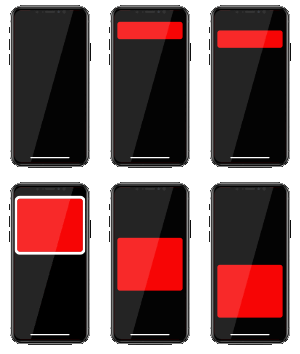 Rich Push Notification
-
Rich Push Notification
- (they can contain an image or video and clickable links too!)


 Tom posts a $50 promo code (spend $50, get $50) for $10.